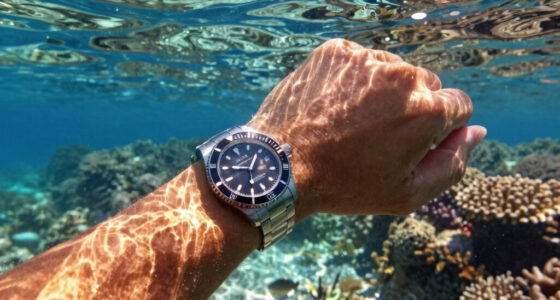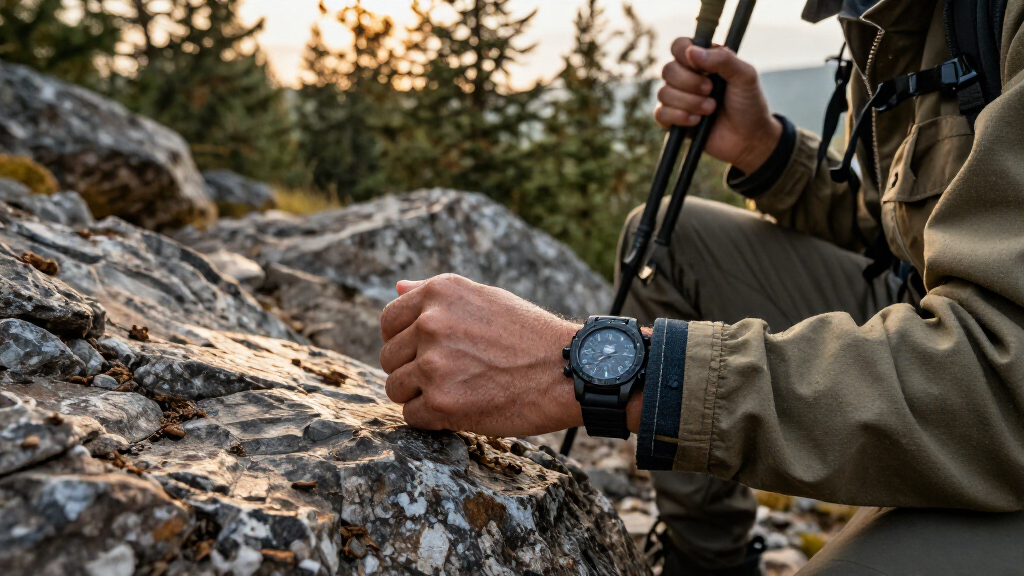

Choose and prepare a durable tactical watch for field work, training, hiking, or everyday wear. This guide is for beginners comparing watches or setting up one they already own. You will match its features to your needs, check its fit and functions, and learn basic care. Allow 30-60 minutes, plus time to read the model-specific manual.

Get your wardrobe favorites delivered free with Prime
- Fast, free delivery on millions of items
- Prime Video, Amazon Music and more included
- Member-only deals all year

Garmin Instinct 3 Tactical Solar 45mm Black
- ✔ Case: 45 mm fiber-reinforced polymer with metal-reinforced bezel
- ✔ Water resistance: 10 ATM (100 meters)
- ✔ Power: Solar charging

Casio Illuminator AE1500WH Men’s Digital Watch
- ✔ Display: Extra-large digital
- ✔ Water resistance: 100 meters
- ✔ Battery: CR2032; approximately 10 years

Pindows Men’s Digital Watch 50M Waterproof Military Tactical Sport
- ✔ Water resistance: 50 meters
- ✔ Drop resistance: 10 meters, as stated in the product description
- ✔ Bezel: Metal
Difficulty: Beginner | Time: 30-60 minutes, plus time to read the watch manual
What You’ll Need
Tools & Materials:
- The watch and its user manual
- A soft cloth
- A measuring tape or ruler, if comparing case sizes
- A compatible charger or fresh battery, if required
Knowledge:
- A basic understanding of the conditions in which you plan to wear the watch
- No specialist watch knowledge required
Check the exact model’s manual before pressing buttons underwater, replacing a battery, or opening the case. Water resistance depends on the watch’s seals and condition; it is not a guarantee of suitability for every water activity.
Garmin Instinct 3 Tactical Solar 45mm Black
When a durable watch also needs to help us navigate and manage field tasks, the Garmin Instinct 3 Tactical Solar is the most capable choice here. Built-in GPS and multi-band satellite support give it a clear advantage over the Casio and Pindows, which focus on timekeeping and basic timing functions. Solar charging can extend its operating time in bright outdoor conditions, and the built-in flashlight adds a practical tool that neither simpler digital watch offers.Its tactical features include stealth mode, jumpmaster activity, and an Applied Ballistics solver. The solver requires a separate purchase through the AB Quantum app, so buyers should not assume that every listed capability is ready to use at no additional step. Garmin also adds health tracking, notifications, and multisport tools; that breadth makes this more useful for someone who wants one watch across outdoor activities, but it adds complexity compared with the Casio’s direct controls and core functions.The fiber-reinforced polymer case, metal-reinforced bezel, and 10 ATM water rating support its rugged positioning. Still, a 45 mm case can feel bulky on smaller wrists, and its connected features depend on a more involved device than either basic digital alternative. We would choose it for navigation and tactical versatility, but skip it if we mainly want an easy-to-read clock with minimal upkeep.
Pros:
- Built-in GPS with multi-band positioning and SatIQ power management
- Solar charging can extend use in bright outdoor conditions
- Tactical functions include stealth mode and jumpmaster activity
- Built-in LED flashlight and 10 ATM water resistance
Cons:
- 45 mm case may feel bulky on smaller wrists
- Applied Ballistics solver requires a separate purchase through its app
- More features and connectivity mean a more involved experience than the Casio or Pindows
Best for: Outdoor users who need GPS navigation, solar charging, a flashlight, and tactical or multisport functions in one rugged watch.
Not ideal for: Buyers who want a compact, uncomplicated digital watch or do not need GPS, health tracking, or connected features.
Bottom line: We rank Garmin first for combining rugged construction with the strongest navigation and tactical toolkit, provided its size and feature complexity suit us.
“We rank Garmin first for combining rugged construction with the strongest navigation and tactical toolkit, provided its size and feature complexity suit us.”
Casio Illuminator AE1500WH Men’s Digital Watch
The Casio AE1500WH is the straightforward choice for buyers who value quick readability and dependable timekeeping more than connected features. Its extra-large digital display is easier to scan at a glance than a more information-dense smartwatch face, while the advertised battery life of about ten years reduces the need for frequent battery changes. That simplicity is the main reason to choose it over the Garmin.For water exposure, Casio matches Garmin’s stated 100-meter rating and exceeds Pindows’ 50-meter rating. Its khaki resin case and band keep the design practical for outdoor wear, though resin may feel less substantial than Garmin’s reinforced bezel or Pindows’ metal bezel. The Casio offers a useful spread of alarms, dual time, stopwatch, and countdown functions, but no GPS, solar charging, or smartphone connectivity.We see it as a strong everyday field watch rather than a navigation device. The amber LED backlight and oversized display support quick checks, and the long battery estimate suits users who prefer low-maintenance gear. Compared with Pindows, it has the higher water-resistance rating and a more extensive timing toolkit; Pindows, in turn, states a specific drop-resistance rating and uses an adjustable hook-and-loop strap. Choose Casio when uncomplicated readability matters most.
Pros:
- Extra-large display is easy to read at a glance
- Advertised battery life of approximately ten years
- 100-meter water resistance
- Dual time, stopwatch, countdown timer, and five alarms
Cons:
- Resin case and band may feel less substantial than the metal-reinforced or metal-bezel alternatives
- No GPS, Bluetooth, or smart features
- Limited style and color choices
Best for: Buyers who want a highly readable digital watch with 100-meter water resistance, multiple timers and alarms, and a long advertised battery life.
Not ideal for: People who need GPS navigation, solar charging, smart notifications, or a metal-heavy construction.
Bottom line: We recommend the Casio for buyers who want readable, low-maintenance timing and 100-meter water resistance without smartwatch complexity.
“We recommend the Casio for buyers who want readable, low-maintenance timing and 100-meter water resistance without smartwatch complexity.”
Pindows Men’s Digital Watch 50M Waterproof Military Tactical Sport
Pindows takes a different route to durability: it pairs a metal bezel with a stated 10-meter drop-resistance rating and a lightweight woven nylon strap. That makes it the most specifically impact-oriented option in this lineup on the information provided. The hook-and-loop closure also allows quick, fine adjustment across the listed 5.9- to 8.7-inch wrist range, a useful distinction from the Casio’s resin strap and Garmin’s silicone band.Its tradeoff is water resistance. At 50 meters, Pindows is rated below the 100-meter Casio and Garmin, so those two are the more compelling choices when water exposure is a bigger concern. The listing says it is suitable for rain, swimming, and handwashing, but also advises against pressing buttons while submerged. We would keep that operating limitation in mind rather than treating the watch as equally capable in every wet setting.The digital display, bright green LED backlight, stopwatch, daily alarm, and calendar cover basic needs. Compared with Casio, Pindows offers a stated drop rating and a more adjustable strap, while Casio provides a larger display, longer advertised battery life, higher water resistance, and more alarms and timing options. Pindows is the fit for someone who values strap adjustability and impact-oriented construction over a deeper feature set; it is less suited to buyers who need stronger water resistance or a precise account of battery longevity.
Pros:
- Metal bezel with stated 10-meter drop resistance
- Lightweight nylon strap with hook-and-loop micro-adjustment
- Listed fit range spans 5.9 to 8.7 inches
- Bright green LED backlight and basic stopwatch and alarm functions
Cons:
- 50-meter water resistance is below the 100-meter ratings of Casio and Garmin
- Buttons should not be pressed while the watch is submerged
- Fewer timing functions than the Casio and no GPS or solar charging
Best for: Buyers who prioritize a metal bezel, a stated drop-resistance rating, and a lightweight strap that adjusts quickly across a wide wrist range.
Not ideal for: People who need 100-meter water resistance, extensive timers and alarms, or a listed long-term battery estimate.
Bottom line: We would choose Pindows for its adjustable nylon fit and stated impact protection, while accepting the lower water rating and simpler feature set.
“We would choose Pindows for its adjustable nylon fit and stated impact protection, while accepting the lower water rating and simpler feature set.”
As an Amazon Associate we earn from qualifying purchases.
Before You Start
Write down the conditions the watch must handle: water exposure, impacts, low light, temperature changes, and the need for navigation or timing. Set a spending limit before comparing models. Treat terms such as “tactical” as product descriptions; check the manufacturer’s specifications and instructions for the specific watch.
If you already own the watch, inspect it before use. Do not rely on it if the crystal is cracked, buttons stick, the case is loose, or the strap is damaged. A watch that has been opened, serviced, or exposed to a hard impact may need a water-resistance check before you wear it in water.
Step-by-Step Instructions
Step 1: List the conditions the watch must handle
Write down your main activities and the conditions involved. Note whether you need a clear display in darkness, a countdown timer, a stopwatch, an alarm, a compass, or a second time zone. Mark features you need every day separately from features you might use occasionally.
Set a practical limit for size and weight. If you wear gloves, need to read the display quickly, or use the watch while carrying equipment, account for those needs. A long feature list is less useful than a short list of functions you can operate reliably.
Tip: A compass or GPS feature may need calibration, power, or a clear view of the sky. Read the manual and do not treat a watch as your only navigation or timing method in a high-risk situation.
Check: You have a short list of required conditions and functions, plus a separate list of optional features.
Step 2: Compare verified specifications
Compare candidate watches using the manufacturer’s specification sheet and manual. Check case dimensions, weight, display type, operating temperature range, stated water resistance, battery or charging method, and the functions you listed. Confirm that the exact model—not just the product family—has the features you need.
Check the strap material and whether replacement straps are available. Look for clear instructions on care, battery replacement, and water exposure. If you cannot find a model-specific answer to a question that affects safety or use, ask the manufacturer or an authorized service provider before buying.
Tip: Water-resistance ratings describe test conditions and are not interchangeable with a promise that a watch can withstand all water pressure, heat, or repeated exposure.
Check: You can identify which candidate meets each requirement and have checked the manufacturer’s guidance for key limits.
Step 3: Check the watch and strap before wearing it
Inspect the case, crystal, buttons, crown if present, strap, and buckle. Look for cracks, sharp damage, corrosion, loose pins, stretched material, or a closure that does not hold. Wipe away dust with a soft cloth, following the manual’s cleaning instructions.
If you are buying in person, operate the buttons and confirm that the display is readable from your normal viewing angle. If buying online, check the return policy and the exact model number before removing tags or altering the strap.
Tip: Do not press buttons underwater unless the manual explicitly allows it. Some watches require the crown or buttons to be fully secured before water exposure.
Check: The watch has no visible damage, the strap fastens securely, and the controls respond as described in the manual.
Step 4: Fit the watch securely
Place the watch above the wrist bone and fasten the strap so the case stays in place without pinching. Slide a finger under the strap if the design permits. Move your wrist through its normal range and check that the watch does not rotate, press painfully, or catch on clothing or equipment.
Try the watch with the sleeves, gloves, or gear you expect to use. Adjust the strap or choose a compatible replacement if the case shifts or the closure interferes. Use only straps and fittings that fit the watch’s model and lug design.
Tip: A strap can feel tighter in heat or during activity. Leave enough room for comfortable movement and check the fit again after wearing the watch for a while.
Check: The watch remains readable and secure during ordinary wrist movement, with no pain, numbness, or repeated slipping.
Step 5: Set the time and essential functions
Set the time and date using the manual’s button sequence. Select the correct time format, time zone, and daylight-saving setting if the watch offers them. Set only the alarms, timer, or second time zone you expect to use; remove factory settings that could cause confusion.
Test each essential function while stationary. Start and stop the timer, silence an alarm, and check any compass or backlight procedure. If your model supports GPS or another electronic feature, complete any initial setup and charging steps specified by the manufacturer.
Tip: Button sequences differ between models. Avoid guessing, especially when a combination could reset settings or start a calibration mode.
Check: The displayed time is correct, and you can activate, read, and stop each function you rely on.
Step 6: Check power and operating limits
Confirm the battery level or install a fresh battery through an authorized service channel if the manual recommends it. For a rechargeable model, charge it using the supplied or approved equipment. Learn how low-battery warnings appear and how long charging or battery replacement takes.
Review the stated temperature, water, and impact limits. Keep the watch within those limits, and arrange professional inspection after a severe impact, case opening, or suspected water ingress. Do not assume a functioning display means the seals remain sound.
Tip: If the watch has a replaceable battery and water resistance matters, ask whether battery service includes seal replacement and a pressure test.
Check: The watch has adequate power for your planned use, and you know where to find its main operating limits.
Step 7: Practice the controls and establish a care routine
Practice reading the display and using essential controls in a safe setting before relying on the watch during work or travel. Learn how to lock buttons if the model supports it, switch on the backlight, and return to the normal time display.
After use, clean and dry the watch according to the manual. Rinse salt or dirt only if the maker permits it, then dry the case and strap. Store it away from extreme heat, strong magnets, and chemicals if the manual warns against them. Check the strap, buckle, and display regularly for wear.
Tip: Do not use solvents, abrasive cleaners, or high-pressure water unless the manufacturer approves them.
Check: You can operate the functions you need without searching through the manual, and you know how to clean and inspect the watch safely.
Common Mistakes to Avoid
- Relying on a function before learning its controls. — Practice each essential setting and operation in a safe place, and keep the manual accessible.
Troubleshooting
Problem: The watch display is blank or fades quickly.
Solution: Check the manual for the low-battery indicator and power-saving mode. Charge the watch or arrange battery service as specified. If it still fails, contact the manufacturer or an authorized service provider.
Problem: Buttons do not respond as expected.
Solution: Check whether the buttons are locked or the watch is in another mode. Use the model-specific instructions to return to the time display. Do not force a stuck button; seek service if it remains unresponsive.
Problem: The compass reading seems inaccurate.
Solution: Move away from metal objects, vehicles, speakers, and other magnetic sources. Follow the manual’s calibration steps and hold the watch as directed. Use a separate navigation method if the reading remains unreliable.
Problem: Moisture or fog appears under the crystal.
Solution: Stop using the watch in water and contact the manufacturer or an authorized repair provider promptly. Do not open the case or heat the watch to dry it.
What Success Looks Like
The selected watch matches your written needs, fits securely without discomfort, and has no visible damage. The time is correct, essential controls work, and the battery has enough charge for planned use. You can find and follow the model’s operating limits, and you have a routine for checking and cleaning the watch.
Next Steps
Keep the manual and model number with your purchase records. Check the strap and controls before demanding use, and follow the maker’s schedule for battery and seal service. Revisit your feature list if your activities change. If the watch has been damaged, opened, or exposed to water beyond its stated limits, have it inspected before relying on it again.
Frequently Asked Questions
Does a tactical watch need to be digital?
No. Choose an analog, digital, or hybrid display based on readability, power, and the functions you need. Check the exact model’s specifications and manual.
Can I swim or dive with a durable tactical watch?
Only if the manufacturer’s guidance for that exact model permits the activity. Check the water-resistance instructions, condition of the seals, and restrictions on buttons or the crown. Do not infer dive suitability from a general water-resistance claim.
How often should I replace the battery or strap?
Follow the manufacturer’s service schedule and replace parts when they show wear or fail to hold securely. Battery life varies by model and use; frequent backlight, GPS, or sensor use may shorten it.
Is a compass watch enough for navigation?
Use it as one navigation aid, not your only one. Learn calibration and operating limits, and carry another suitable navigation method for trips where losing direction could put you at risk.